Applications
Applications are defined via the Application Custom Resource Definition. Applications can be used to improve the observability of your Kubernetes workloads. For that you can add metrics, logs, traces and other information via the different plugins to your Kubernetes resources.
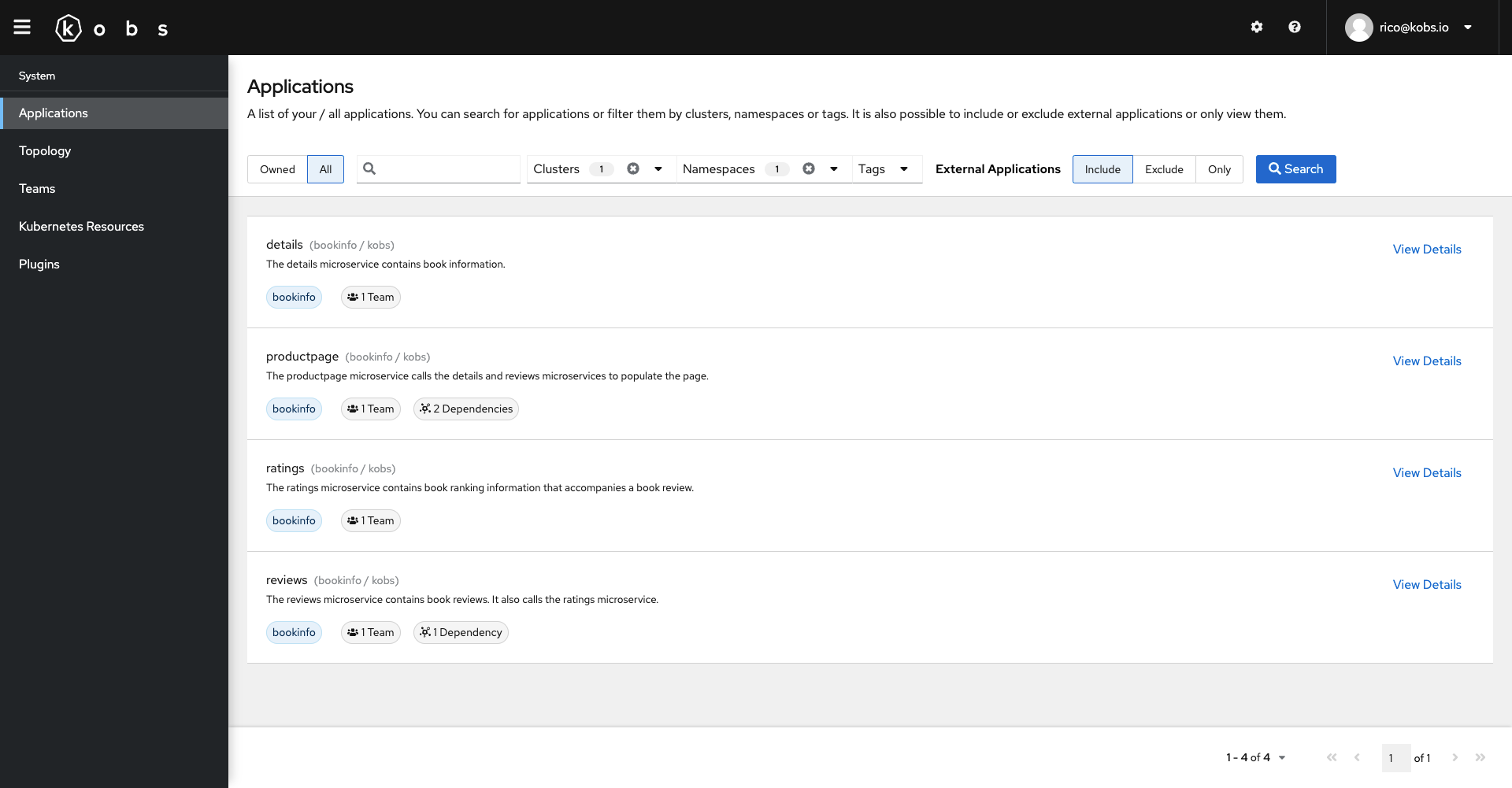
Applications can be accessed via the Applications page. By default it shows all the Applications, which are owned by a Team a User is part of. It is also possible to filter the list of Applications by clusters, namespaces, tags or search for them by their name.
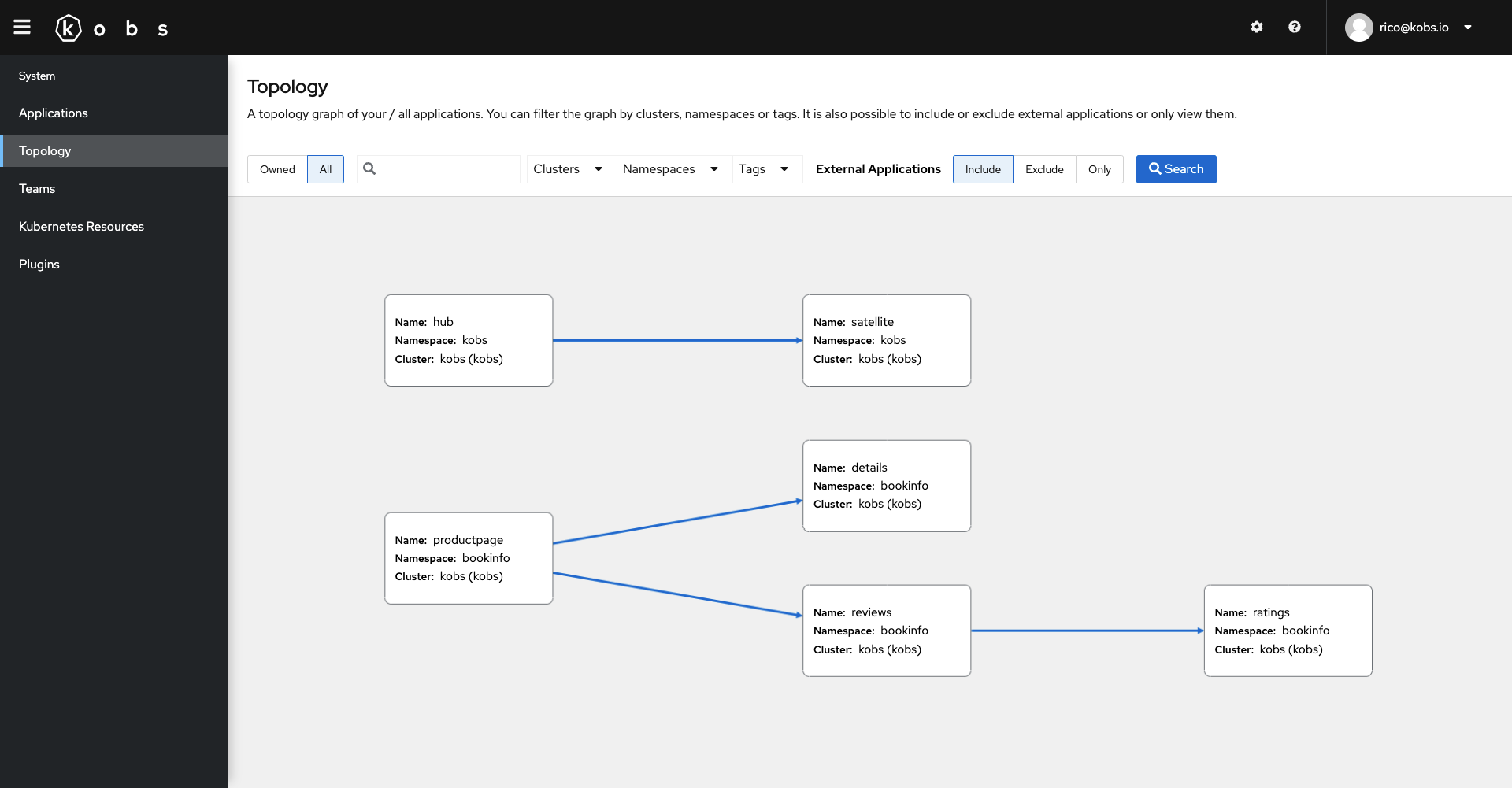
You can also use the topology page to view the topology graph of your applications. For that you can use the topology.dependencies field in the Application CR to define the dependencies for an Application.
Specification
| Field | Type | Description | Required |
|---|---|---|---|
| description | string | Provide a descriptions for the application with additional details. | No |
| tags | []string | A list of tags to describe the application. | No |
| links | []Link | A list of links (e.g. a link to the GitHub repository for this application). | No |
| teams | []string | A list of teams to define the ownership for the application. The provided names must match a group field in a defined Team CR. |
No |
| topology | Topology | Set the topology settings for your application. This can be used to define dependencies or to add Application which are running outside of Kubernetes. | No |
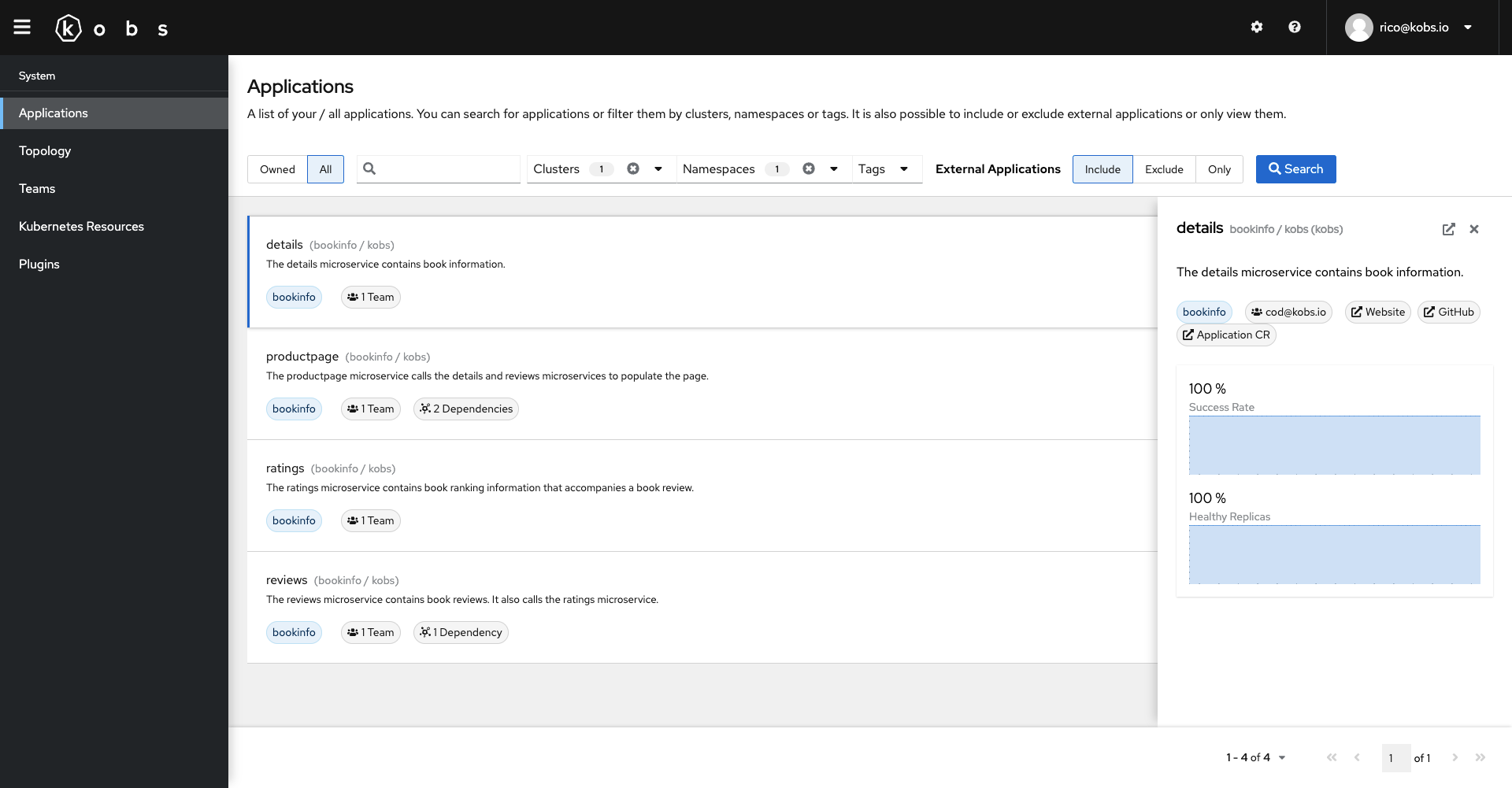
| insights | []Insight | A list of insights for an Application, e.g. the most important metrics. | No |
| dashboards | []Dashboard | A list of dashboards, which should be shown for this application. | No |
Link
| Field | Type | Description | Required |
|---|---|---|---|
| title | string | Title for the link | Yes |
| link | string | The actuall link | Yes |
Topology
| Field | Type | Description | Required |
|---|---|---|---|
| external | boolean | When this true the application will be marked as external. This means that we do not show the cluster and namespace of the Application CR in the UI, to allow users to also add Applications which are not running in a Kubernetes cluster. |
No |
| dependencies | []Dependency | Add other applications as dependencies for this application. This can be used to render a topology graph for your applications. | No |
Dependency
| Field | Type | Description | Required |
|---|---|---|---|
| satellite | string | Satellite of the application, which should be added as dependency. If this field is omitted kobs will look in the same satellite as the application was created in. | No |
| cluster | string | Cluster of the application, which should be added as dependency. If this field is omitted kobs will look in the same cluster as the application was created in. | No |
| namespace | string | Namespace of the application, which should be added as dependency. If this field is omitted kobs will look in the same namespace as the application was created in. | No |
| name | string | Name of the application, which should be added as dependency. | Yes |
| description | string | The description can be used to explain, why this application is a dependency of the current application. | No |
Insight
| Field | Type | Description | Required |
|---|---|---|---|
| title | string | The title for the defined insight metric. | Yes |
| type | string | The type which should be used to display the insight metric. Currently the only valid value is sparkline. |
Yes |
| unit | string | An optional unit for the metric. | No |
| mappings | map |
A map of mappings, which should be displayed instead of the current metric value. | No |
| plugin | Plugin | The plugin, which should be used for the preview. | Yes |
Dashboard
Define the dashboards, which should be used for the application.
| Field | Type | Description | Required |
|---|---|---|---|
| cluster | string | Cluster of the dashboard. If this field is omitted kobs will look in the same cluster as the application was created in. | No |
| namespace | string | Namespace of the dashboard. If this field is omitted kobs will look in the same namespace as the application was created in. | No |
| name | string | Name of the dashboard. Note: You have not to provide a name, if you use the inline property. | Yes |
| title | string | Title for the dashboard | Yes |
| description | string | The description can be used to explain the content of the dashboard. | No |
| placeholders | map |
A map of placeholders, whith the name as key and the value for the placeholder as value. More information for placeholders can be found in the documentation for Dashboards. | No |
| inline | Inline | Specify a complete dashboard within the reference. This can be used if you just use the dashboard within one application. | No |
Inline
| Field | Type | Description | Required |
|---|---|---|---|
| hideToolbar | boolean | If this is true the toolbar will be hidden in the dashboard. |
No |
| variables | []Variable | A list of variables, where the values are loaded by the specified plugin. | No |
| rows | []Row | A list of rows for the dashboard. | Yes |
Example
The following Application CR is used in the demo to display the resources, metrics, logs and traces for the productpage Application of the Bookinfo service.
---
apiVersion: kobs.io/v1
kind: Application
metadata:
name: productpage
namespace: bookinfo
spec:
description: The productpage microservice calls the details and reviews microservices to populate the page.
tags:
- bookinfo
links:
- title: Website
link: https://istio.io/latest/docs/examples/bookinfo/
- title: GitHub
link: https://github.com/istio/istio/tree/master/samples/bookinfo
- title: Application CR
link: https://github.com/kobsio/kobs/blob/main/deploy/demo/kobs/base/crs/applications/productpage.yaml
teams:
- re@kobs.io
topology:
dependencies:
- name: details
description: Get book information.
- name: reviews
description: Get book reviews.
insights:
- title: Success Rate
type: sparkline
unit: "%"
plugin:
name: prometheus
type: prometheus
options:
query: sum(irate(istio_requests_total{reporter="destination",destination_workload_namespace=~"bookinfo",destination_workload=~"productpage-v1",response_code!~"5.*"}[5m])) / sum(irate(istio_requests_total{reporter="destination",destination_workload_namespace=~"bookinfo",destination_workload=~"productpage-v1"}[5m])) * 100
- title: Healthy Replicas
type: sparkline
unit: "%"
plugin:
name: prometheus
type: prometheus
options:
query: kube_deployment_status_replicas{namespace="bookinfo", deployment=~"productpage.*"} / kube_deployment_spec_replicas{namespace="bookinfo", deployment=~"productpage.*"} * 100
dashboards:
- title: Overview
inline:
rows:
- size: 1
panels:
- title: Desired Replicas
colSpan: 3
plugin:
name: prometheus
type: prometheus
options:
type: sparkline
queries:
- query: kube_deployment_spec_replicas{namespace="bookinfo", deployment=~"productpage.*"}
- title: Current Replicas
colSpan: 3
plugin:
name: prometheus
type: prometheus
options:
type: sparkline
queries:
- query: kube_deployment_status_replicas{namespace="bookinfo", deployment=~"productpage.*"}
- title: Updated Replicas
colSpan: 3
plugin:
name: prometheus
type: prometheus
options:
type: sparkline
queries:
- query: kube_deployment_status_replicas_updated{namespace="bookinfo", deployment=~"productpage.*"}
- title: Available Replicas
colSpan: 3
plugin:
name: prometheus
type: prometheus
options:
type: sparkline
queries:
- query: kube_deployment_status_replicas_available{namespace="bookinfo", deployment=~"productpage.*"}
- size: -1
panels:
- title: Workloads
plugin:
name: resources
type: app
options:
satellites:
- kobs
clusters:
- kobs
namespaces:
- bookinfo
resources:
- pods
- deployments
- services
selector: app=productpage
- size: 2
panels:
- title: Open Alerts
colSpan: 6
plugin:
name: opsgenie
type: opsgenie
options:
type: alerts
queries:
- 'status: open AND namespace: "bookinfo"'
- 'status: closed AND namespace: "bookinfo"'
interval: 31536000
- title: Topology
colSpan: 6
plugin:
name: topology
type: app
options:
satellite: "<% $.satellite %>"
cluster: "<% $.cluster %>"
namespace: "<% $.namespace %>"
name: "<% $.name %>"
- name: resource-usage
namespace: kobs
title: Resource Usage
placeholders:
namespace: bookinfo
pod: "productpage-.*-.*-.*"
- name: istio-http
namespace: kobs
title: Istio HTTP Metrics
placeholders:
namespace: bookinfo
app: productpage
- title: Logs
inline:
rows:
- size: -1
panels:
- title: Logs
colSpan: 12
plugin:
name: elasticsearch
type: elasticsearch
options:
showChart: true
queries:
- name: Pod Logs
query: "kubernetes.namespace: bookinfo AND kubernetes.labels.app: productpage"
fields:
- "kubernetes.container.name"
- "message"
- name: Istio Logs
query: "kubernetes.namespace: bookinfo AND kubernetes.labels.app: productpage AND kubernetes.container.name: istio-proxy AND _exists_: content.method"
fields:
- "kubernetes.pod.name"
- "content.authority"
- "content.route_name"
- "content.protocol"
- "content.method"
- "content.path"
- "content.response_code"
- "content.upstream_service_time"
- "content.bytes_received"
- "content.bytes_sent"
- title: Traces
inline:
rows:
- size: -1
panels:
- title: Traces
colSpan: 12
plugin:
name: jaeger
type: jaeger
options:
showChart: true
queries:
- name: All Requests
service: productpage.bookinfo
- name: Slow Requests
service: productpage.bookinfo
minDuration: 100ms
- name: Errors
service: productpage.bookinfo
tags: error=true
- title: Documentation
inline:
hideToolbar: true
rows:
- size: -1
panels:
- title: Bookinfo Documentation
plugin:
name: markdown
type: app
options:
text: |
The application displays information about a
book, similar to a single catalog entry of an online book store. Displayed
on the page is a description of the book, book details (ISBN, number of
pages, and so on), and a few book reviews.
The Bookinfo application is broken into four separate microservices:
* `productpage`. The `productpage` microservice calls the `details` and `reviews` microservices to populate the page.
* `details`. The `details` microservice contains book information.
* `reviews`. The `reviews` microservice contains book reviews. It also calls the `ratings` microservice.
* `ratings`. The `ratings` microservice contains book ranking information that accompanies a book review.
There are 3 versions of the `reviews` microservice:
* Version v1 doesn't call the `ratings` service.
* Version v2 calls the `ratings` service, and displays each rating as 1 to 5 black stars.
* Version v3 calls the `ratings` service, and displays each rating as 1 to 5 red stars.
The end-to-end architecture of the application is shown below.
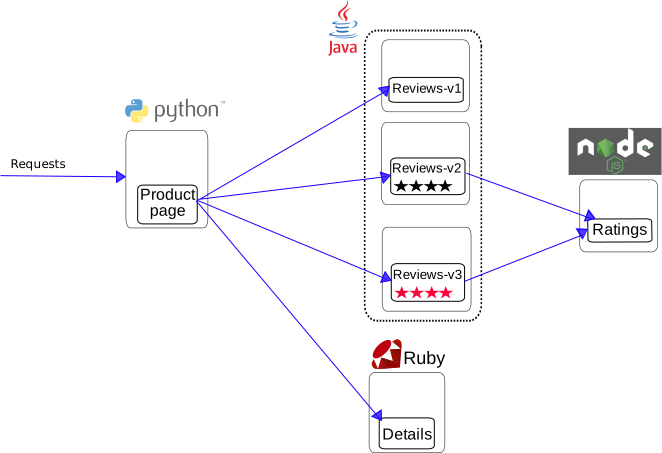
This application is polyglot, i.e., the microservices are written in different languages.
It's worth noting that these services have no dependencies on Istio, but make an interesting
service mesh example, particularly because of the multitude of services, languages and versions
for the `reviews` service.
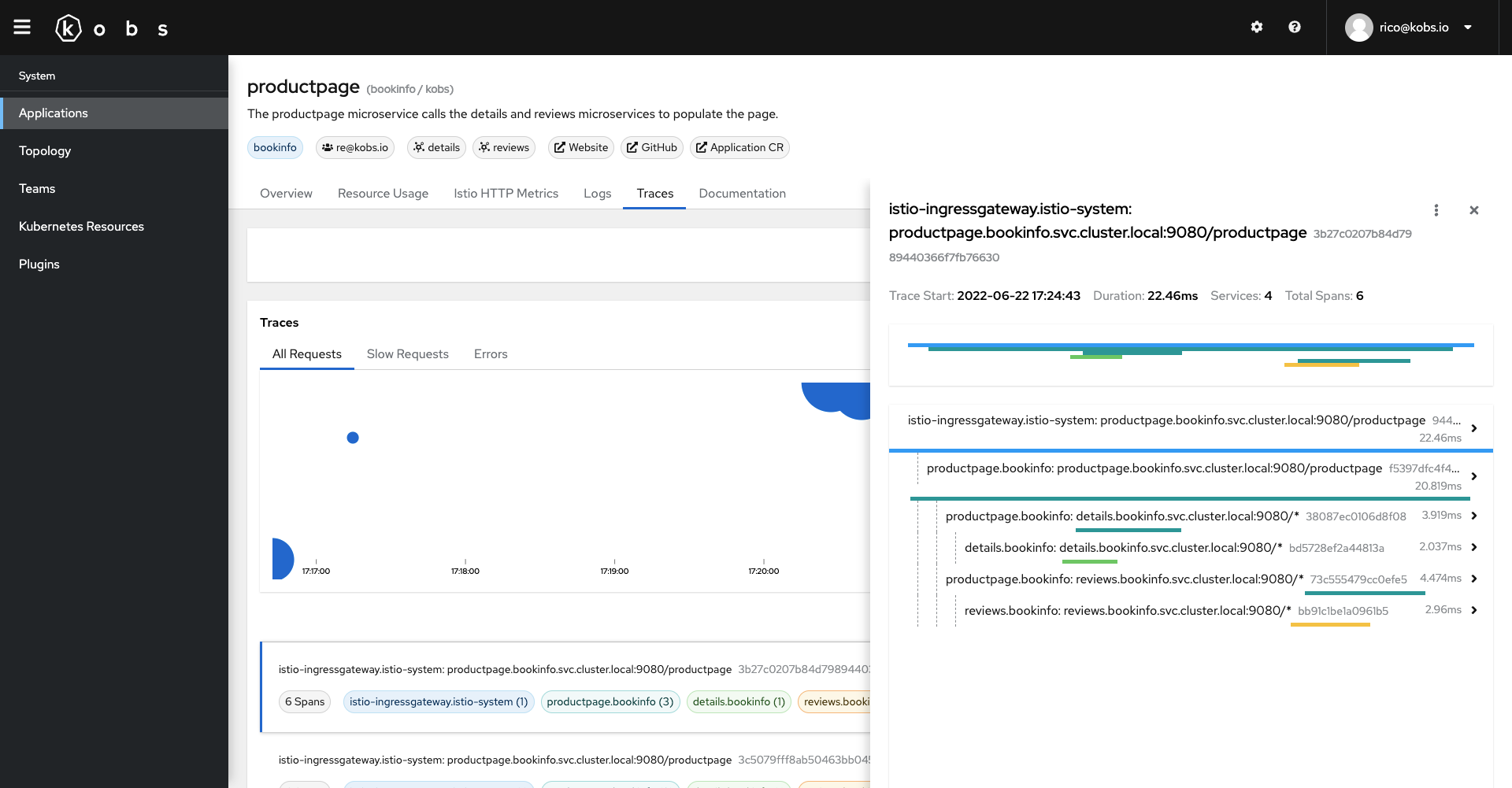
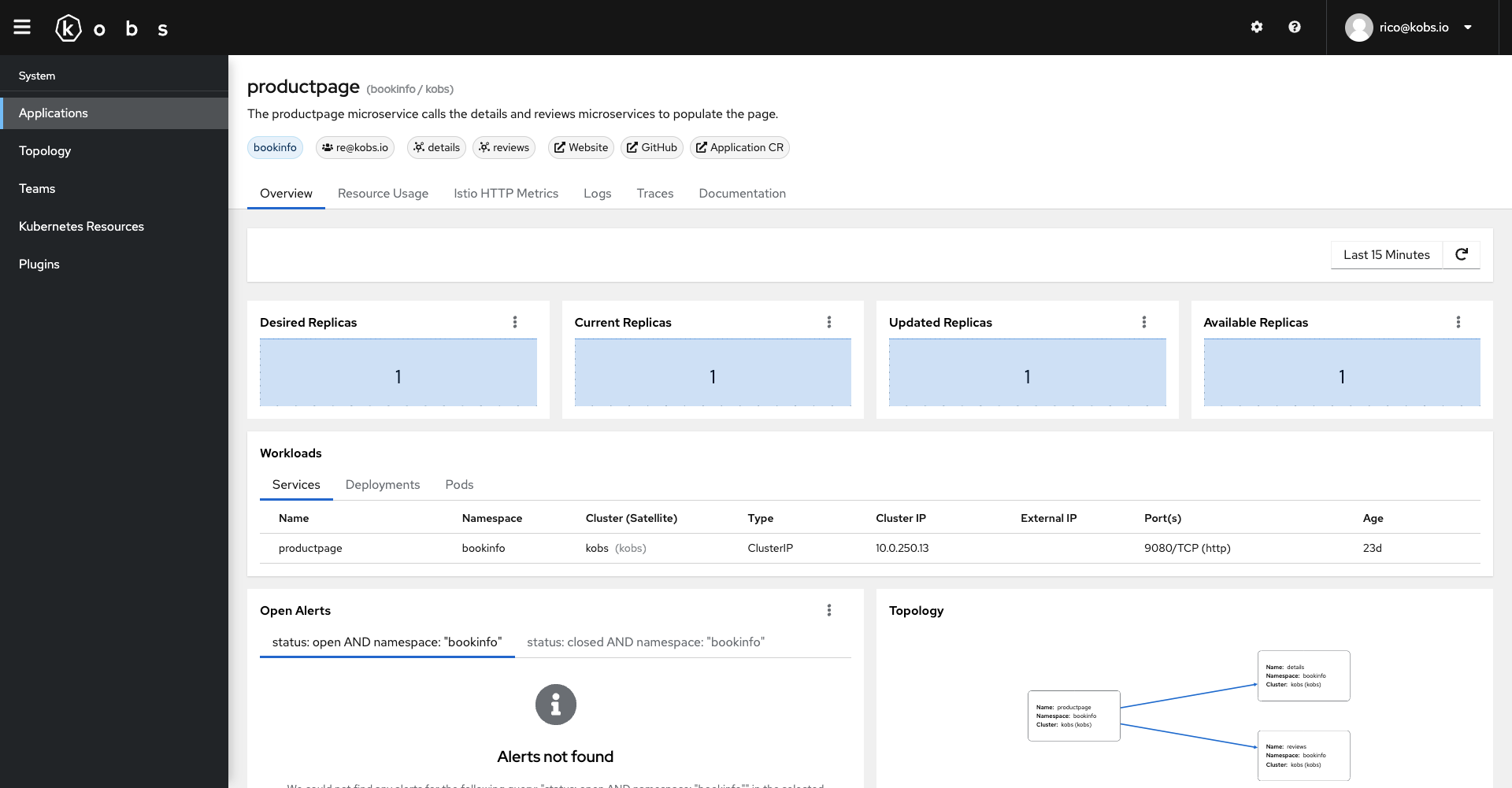
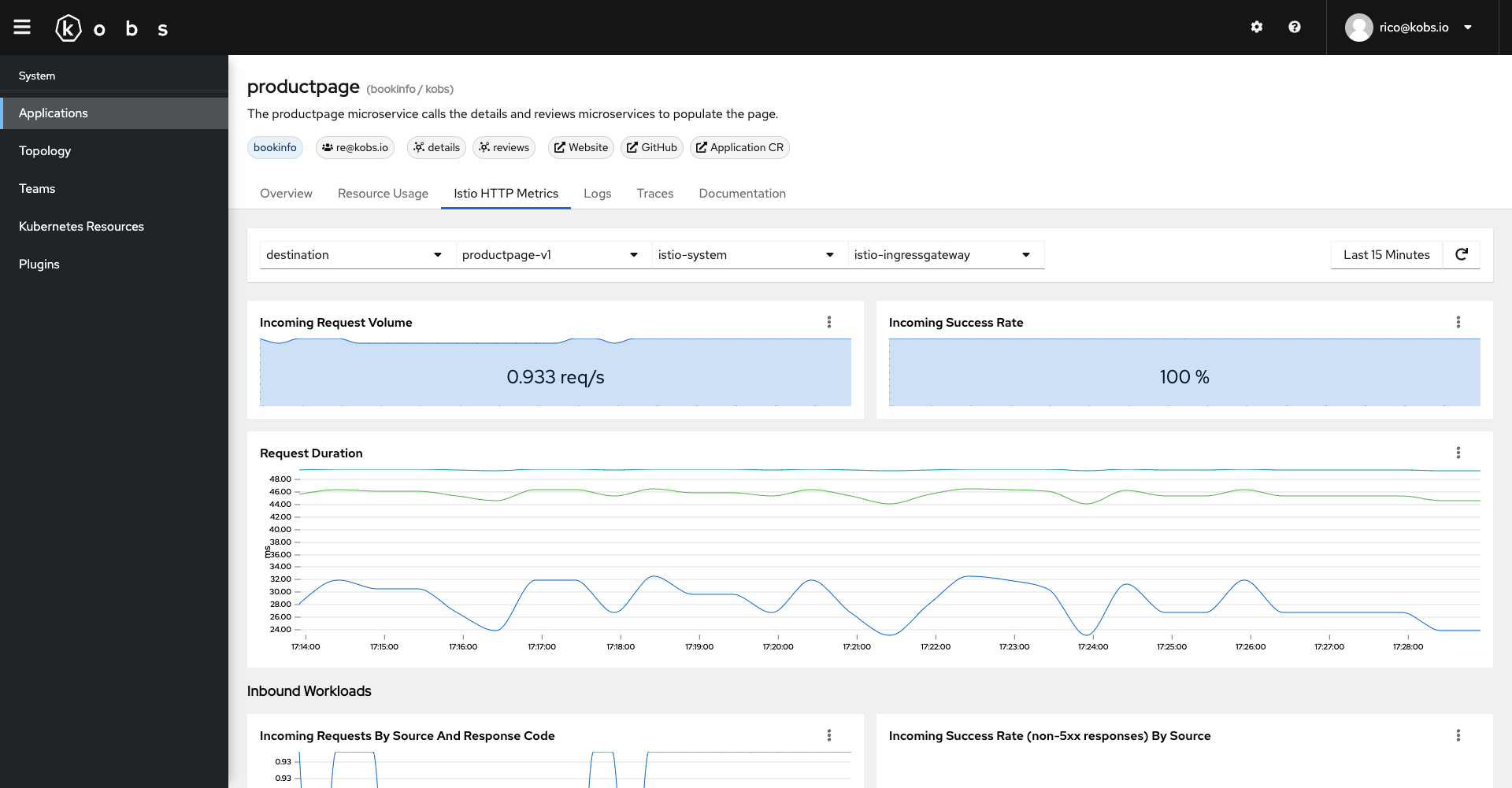
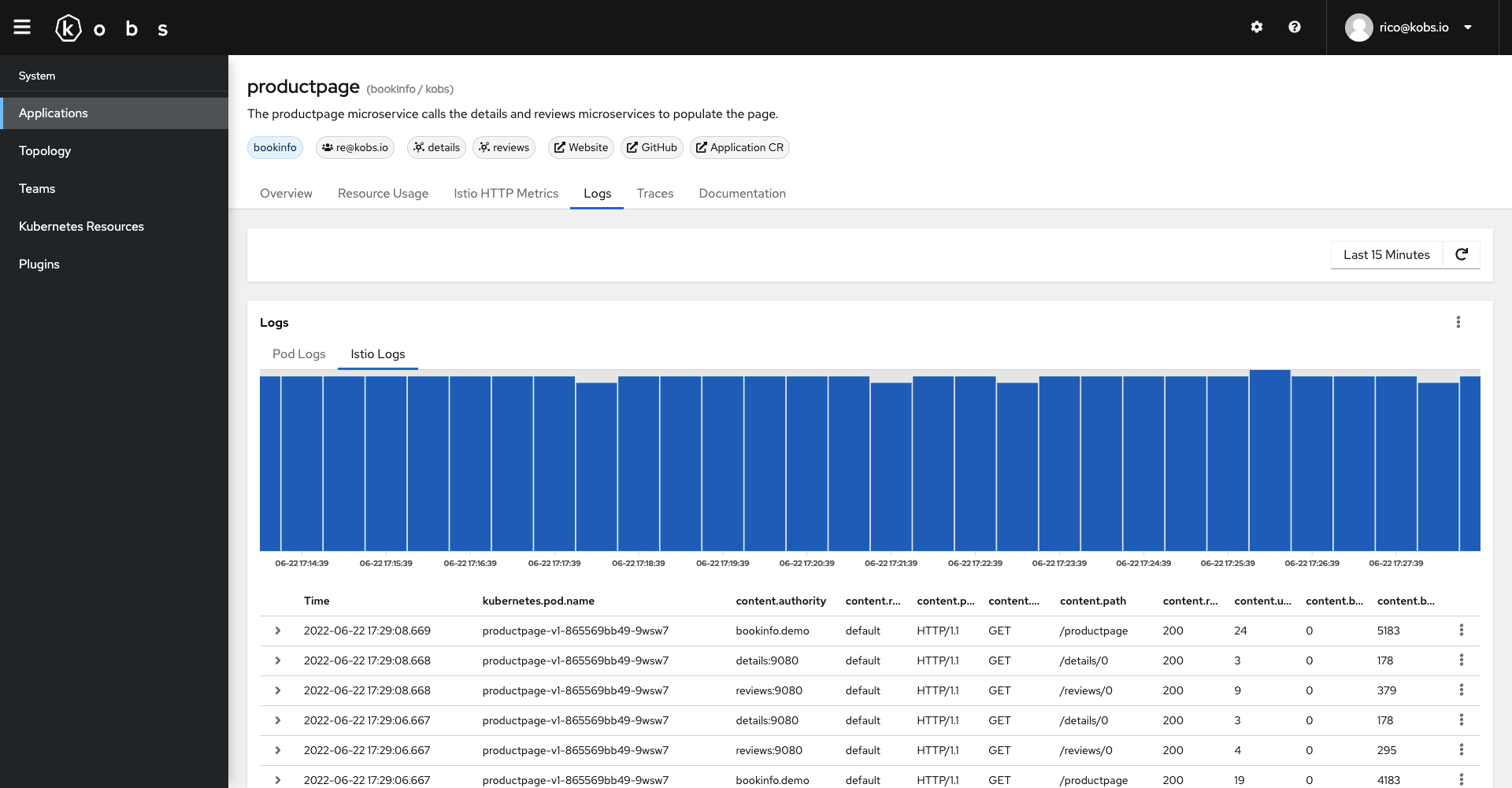
In the fowlling you can find some screenshots how the above application will look in kobs. The application contains the Deployments and Pods, which are related to the reviews service of the Bookinfo Application. It also uses the Prometheus plugin to display metrics, the Elasticsearch plugin to display the logs and the Jaeger plugin to display the traces for the service.
Overview
Metrics
Logs
Traces